
Access your Global User Settings
Accessing your global user settings information can be done from anywhere within the application. Simply click on your avatar in the top right of the main ribbon of the screen and choose the relevant setting drop-down that you wish to view or make edits to.
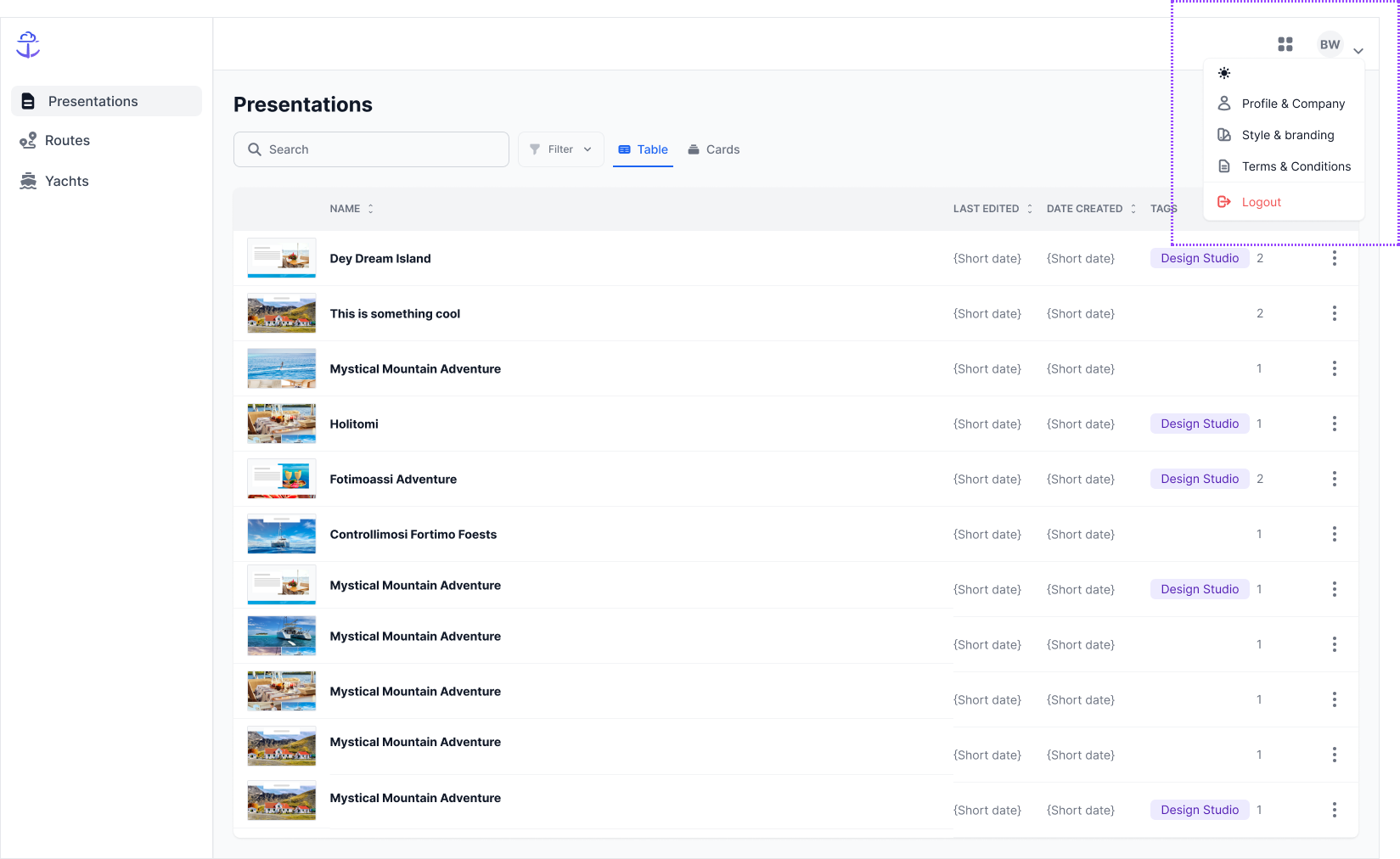
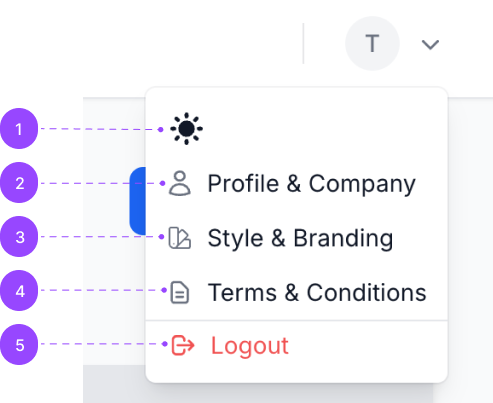
1. Light/Dark Mode Toggle: This mode is very useful, especially for protecting your eyes if you are working at night or in a dark room. To use it, simply click on the icon, and the mode will switch to whichever is the opposite of the current mode. By default, you will start in Light Mode.
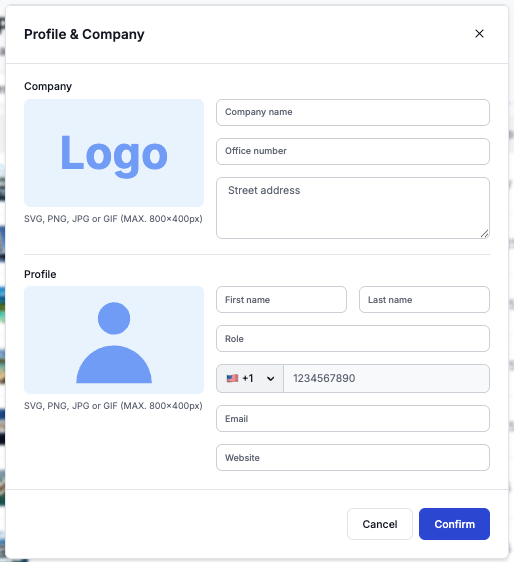
2. Profile & Company: This tab allows users to edit the personal and company information that shows as default for all Presentations that are created. Past presentations will not be affected by changes here.
3. Style & Branding: This tab allows users to edit the font and colour preferences that shows as default for all Presentations that are created. Past presentations will not be affected by changes here.
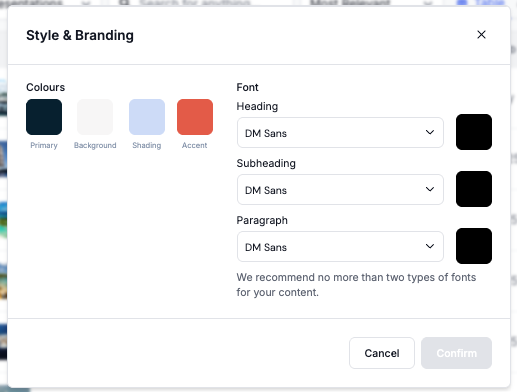
*The colours can be set with RGB, HSL, HEX codes or eye drop. We offer different fonts for Heading, Subheading and Paragraph and colour preference.
Still Need Help?
Speak to our Customer Success team, who are here to support you via support@ankor.io or chat with us using the Life ring Help feature at the bottom right of our application.